01 / UNDERSTAND
See the steps
Get a worked explanation alongside the final answer so you can follow the method and check your own thinking.
 SparxSolver
Get a hand with a tricky maths question, see a worked explanation, and use it to understand the next one.
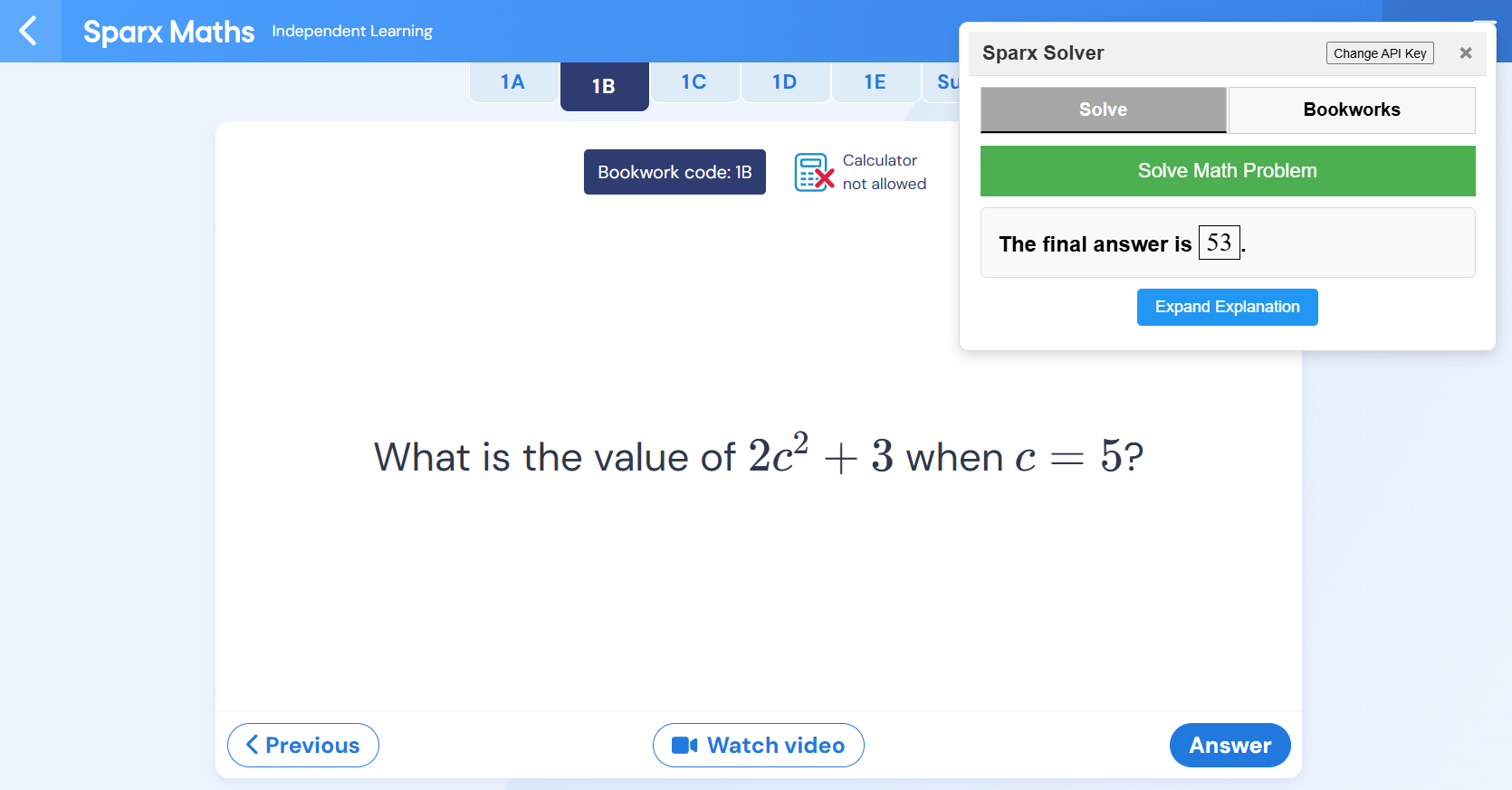
What is the value of 2c2 + 3 when c = 5?
Substitute 5 for c: 2 × 5² + 3
Calculate in order: 2 × 25 + 3 = 53
A little backup
SparxSolver is a browser extension in early beta. It can help you work through maths questions and keep track of Bookwork examples.
01 / UNDERSTAND
Get a worked explanation alongside the final answer so you can follow the method and check your own thinking.
02 / REMEMBER
Save Bookwork question images and bring them back when a matching check comes around.
03 / PRACTISE
Solve a question yourself with a little help, or try the extension's optional automation when you need it.
Right where you work
SparxSolver opens beside your work. Add your own supported AI provider key in the extension, then ask for help when you need it.
Provider availability, model names, and API charges are set by the provider.
Getting started
Unzip the extension folder, open chrome://extensions, switch on Developer mode, and choose “Load unpacked”.
Open SparxSolver, select a supported provider, and enter your own API key. Keep your key private.
Open a maths question and use the extension for a worked explanation. Check the result and make sure you understand it.
Ready when you are
Install locally from the extension folder. There is no public learner account or web download yet.
Secure checkout
Card payments are processed by Stripe. Payout bank details or an eligible payout card are managed securely in your Stripe account.
£1.00 / one week
One week, starting when you activate in the extension.
£5.00 / one month
One month, starting when you activate in the extension.
£20.00 / lifetime
Lifetime access, starting on activation.
Copy your purchase reference, then enter it and the same checkout email in the extension to activate your plan. Your access timer starts on first activation.
Purchases are recorded for admin reporting. Automatic paid access in the browser extension is not connected yet.
Good to know
It is an early beta, so expect occasional bugs and verify answers yourself. Features and supported pages may change.
Not yet. Google sign-in and user accounts are not connected, so there is no sign-in button pretending to work.
Yes. The extension asks you to provide a key for a supported AI provider. Review that provider's terms and pricing, and never share your key.
Checkout uses Stripe. After payment, copy the purchase reference and enter it with your checkout email in the installed extension. Your plan begins on first activation.